
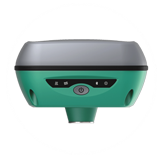
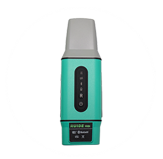
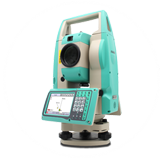
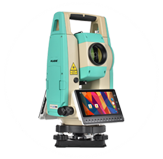

Problems of users to register in Shamim system
روز یکشنبه , 10 مرداد 1400 ساعت 18:52
Some users have problems registering in the Shamim system and activating their accounts! But why? <br>Certainly, registration in Shamim's system is very easy...
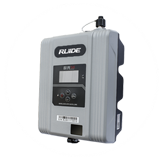
Registration in the Shamim system: In order to register and register the RUIDE recipients in the Shamim system and enjoy the services of this system, the following steps must be followed: First, enter the Shamim website via the address https://shamim.ssaa.ir or Become IP 178.252.171.15. Click the user management section. From the main menu at the top of the site on the right side, click on CREATE ACCOUNT username. Put the keyboard in English language mode and complete the following information carefully and in order. In the user name section: for the country's documents and real estate registration colleagues, first write the word SSAA in capital letters and then your national number without inserting the - and signs. . . Just enter 10 consecutive numbers. The zeros on the left side of the national number should also be entered (example: SSAA0064705894). The definition of registered associate in one department is sufficient for his work in the whole province. The commencing work of colleagues depends on the written announcement of their names by the General Administration of Records and Real Estate of the province where they work, and the response of the General Cadastre Administration of the organization regarding their definition in the comprehensive system, and the result of their mapping in the Shamim system before the time of definition by the administration. The entire cadastre will not be able to enter the cadastre bank. Also, external users who do mapping work for the registered unit should use the term SSBR and then the national number at the time of registration. The definition of SSBR users is provincial and there is no need to define them in registration units. . The commencement of work of SSBR associates depends on the written announcement of their names by the General Directorate of Registration of Documents and Real Estate of the province where they work, and the response of the General Cadastre Directorate of the organization regarding their definition in the comprehensive system and the result of their mapping in the Shamim system before the time of definition by The General Cadastre Office will not be able to access the Cadastre Bank. Other users should refrain from entering SSAA and simply enter their national number without inserting symbols - as 10 consecutive numbers. The zeros on the left side of the national number should also be entered (example: 0064705894). In the Password section, enter the desired password and repeat it again in the Password Verify section. Note that the capitalization or smallness of the letters is effective. In the first name field, enter your name only in English. In the last name field, enter the last name only in English. In the field of organization or company (Company), enter the information as follows: If you are an employee of the registration organization, just enter the three-digit code of the specific registration unit (CMS) in capital letters, followed by the underscore "_" and followed by three letters. First, enter the brand of the device (for example: Hero HIR), followed by the underscore letter "_" and then the serial number of the device used in full. If you are not an employee of the registration organization, enter the three-digit code of the province where you will be operating Select from the table below and then insert the underscore symbol "_" and then: If you are a member of the engineering system, insert the word NEZAM. Enter NEZAM_Y00. If you are nominated by a government organization or body, then enter the word GOV. For example, if you are nominated by a government organization and you work in Bandar Province, enter GOV_Y00 in the field. If If you do not include the above items, then insert the term PRI. In this case, for example, if you are working in Bandar province, the term Enter PRI_Y00 in the Company field. In the Users Picture field: if you are an employee of the registration organization, insert your national card with a quality of at least 300 DPI in a legible and clear scan and only in dimensions of 600 x 400, in jpeg format. If the user's national card is not inserted, it will not be activated. If you have been introduced by a government department/organization or you are a user of SSBR, insert the image of the introduction letter with a quality of at least 300 DPI in a legible and clear scan and only in dimensions of 400 x 600 and in jpeg format. If you are a member of the engineering system, please upload the image of the engineering system's license with a quality of at least 300 DPI in a legible and clear scan and only in dimensions of 400 x 600 and in jpeg format. If you are a real person and you are not included in the above three cases, scan your national card with a quality of at least 300 DPI in a legible and clear manner and only in dimensions of 600 x 400 and in jpeg format. If the user's national card is not inserted, it will not be activated. Enter your valid e-mail address carefully in the e-mail field. Remember that the entered e-mail address is used for the initial confirmation of the entered information and also to respond to the processes of the offline service or notification of the Shamim system. In the Language section, you can choose English or Farsi. In the mobile phone number field, carefully enter your mobile number starting with zero. In the Device Name-Model section, carefully enter the device name and then the dash (-) and then your device model (example: Xima-S10). In the receiver's serial number (Device Serial Number), enter the serial number of your device that is inserted under the receiver carefully and completely. Enter the name of the province of the field of activity from the table below in the province name field. Be careful to only enter the full name of your province in English. The activation of the user will be done within 72 business hours at most, and if there is a delay in the hours